One config file. Every place your team commits.
Laptop, CI, pull request, AI agent — the same cchk.toml, the same rules,
the same diagnostics, with a fix you can paste.
$ echo 'Fix: add streaming support' | commit-check --message
CC001 message check failed ==> Fix: add streaming support
The commit message should follow Conventional Commits. See https://www.conventionalcommits.org
Suggest: Use "fix: add streaming support"
Docs: https://commit-check.com/rules/#cc001
When the correction is unambiguous, it hands you the line.
Commit Check runs in repositories across these organizations, and in many more.
 Apache
 Discovery Unicamp
 Texas Instruments
 OpenCADC
 Extrawest
 Chainlift
 Mila
Mila
 RLinf
RLinf
 Istio Ecosystem
 Juniper Networks
 French National Parks
 OpenDriveLab
 UT Austin RobIn
 WorldArena2
 moniqo
 elu mobility
 Open Energy Platform
 Collective
Why check commit metadata at all
-
Changelog tools have nothing to group by
git-cliffandsemantic-releaseread thetype:prefix on the subject line to decide what a commit was. Without a consistent subject there is nothing to read, and the release notes get written by hand fromgit log. -
git bisectstops at a merge commit
When the first bad commit is a merge, the change is in one of two parents or in the conflict resolution. Bisect cannot narrow it any further.
-
The author is
ec2-user
A build box with no
user.nameset writes itself into the history.git log --authorfinds the commit; there is no person on the other end of it. -
A DCO check fails on a branch you already wrote
Signed-off-bycosts one-sat commit time. Adding it afterwards meansgit rebase --signoffacross the whole branch and a force-push.
None of these are caught by a linter, a type checker or a test suite. They are caught in review — which means inconsistently, and after the work is done.
The check that runs in CI is the same one that runs in your commit-msg hook.
Fixing a subject line at commit time costs a second; fixing it after CI costs a
full run and a force-push.
What your team actually sees
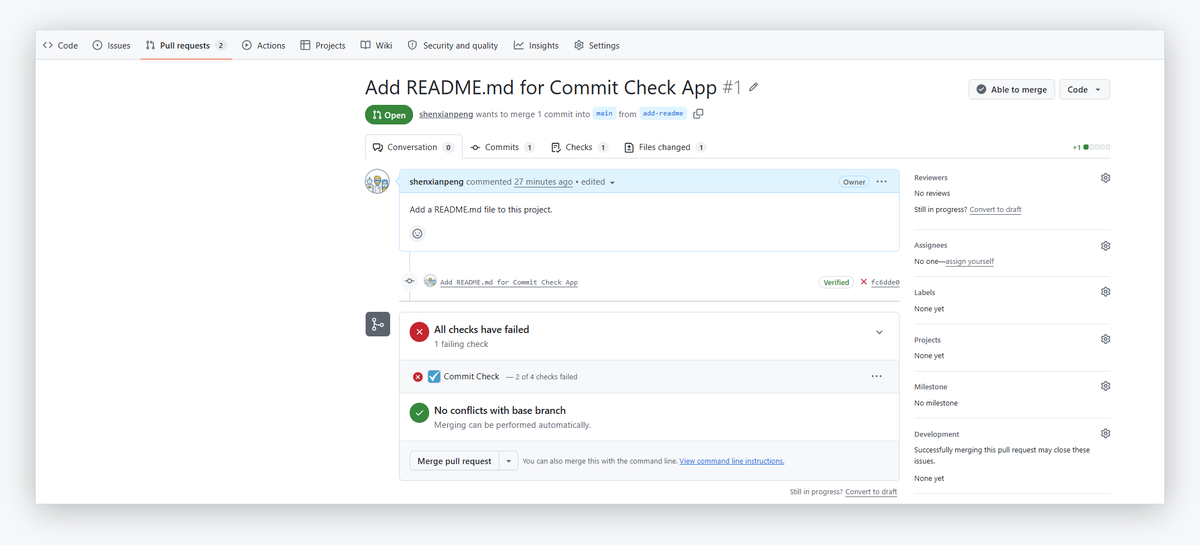
On a pull request, every finding carries a rule ID, the value that failed, and what to do about it — in the job summary, as annotations on the changed files, and as a single comment that is edited in place rather than added to.
| Scope | Checked value | Failed checks |
|---|---|---|
| Commit 2/2 (5584f46) | bad msg |
CC001 message |
| Branch | Feature/Add-Login |
CC201 branch |
Commit message
  ✔ PR title (feat: add login page)
  ✔ Commit 1/2 (d87faca) (feat: add login page)
  ✖ Commit 2/2 (5584f46) (1 failure)
      CC001 message
        value: bad msg
        The commit message should follow Conventional Commits.
        Suggest: Use <type>(<scope>): <description>
Branch
  ✖ Branch (1 failure)
      CC201 branch
        value: Feature/Add-Login
        The branch should follow Conventional Branch.
        Suggest: Rename the branch to "feature/Add-Login" (git branch -m feature/Add-Login)
        Fix: feature/Add-Login
And in the merge box, where the decision actually gets made:
Start with two commands
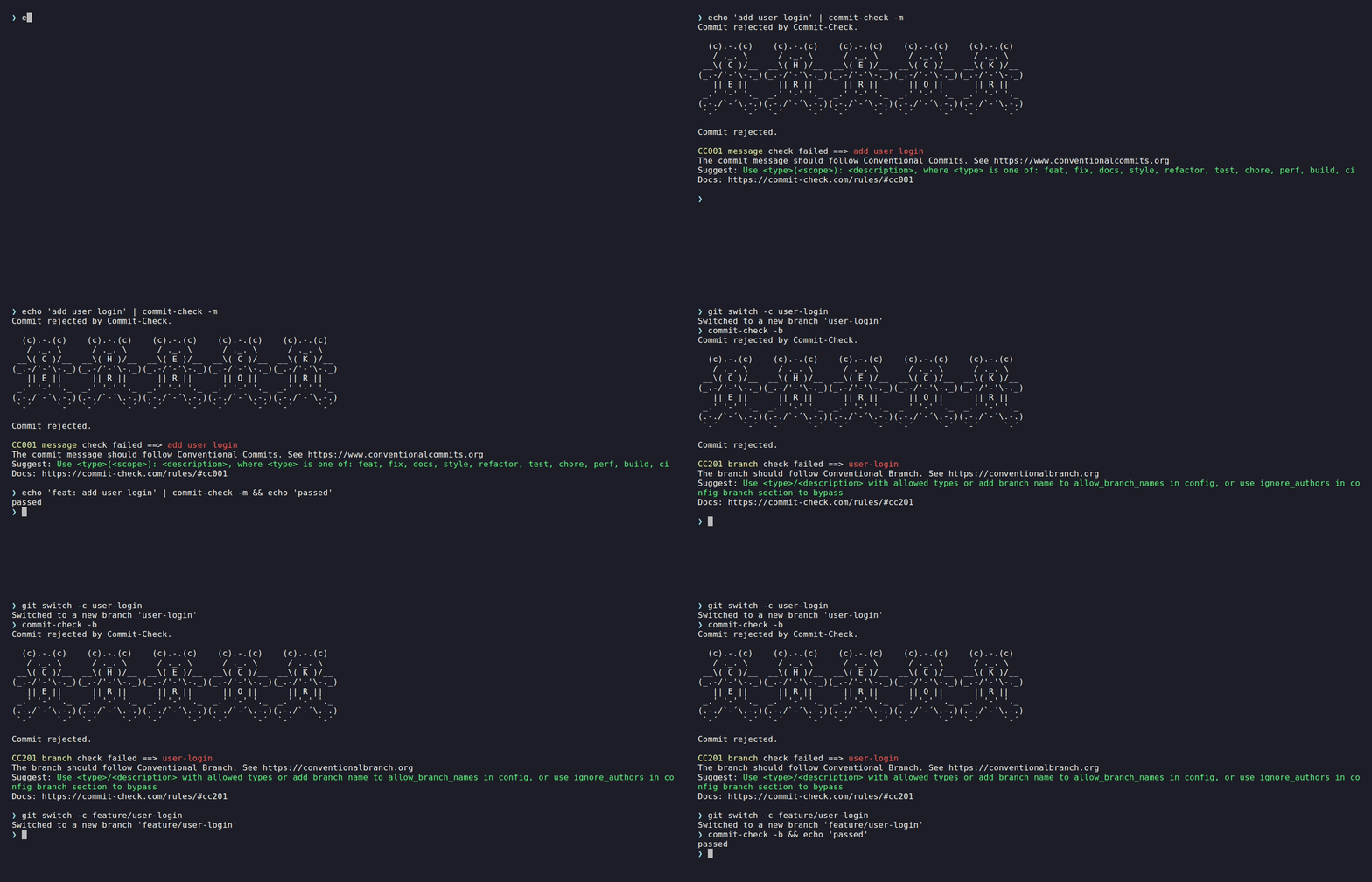
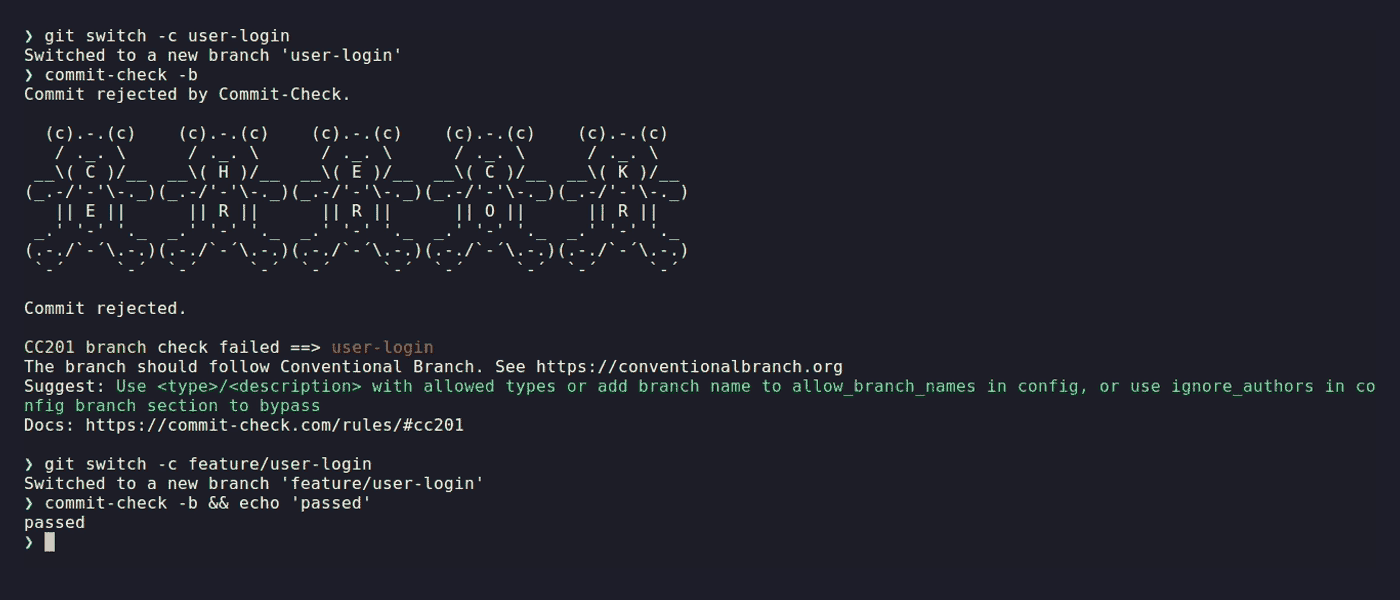
No configuration file needed to start: the defaults check Conventional Commits, Conventional Branch and subject length, and you tighten them when you are ready. Every release carries a signed build provenance attestation, so you can verify an artifact came from this repository's pipeline before you install it.
Pick where it runs
One policy engine, five places to enforce it. Every one of them reads the same
cchk.toml.
-
Command line
The engine itself. Any forge, any CI, plus a JSON mode and a Python API for scripts and agents.
-
pre-commit hook
It rejects a bad commit before Git records it. Opt-in by nature, so pair it with one of the enforced surfaces.
-
GitHub Action
Runs in CI whether or not the hook ran. Make it a required check and a violation cannot merge, with per-rule outputs later steps can gate on.
-
GitHub App
No workflow file and no CI minutes. Install it once and every push and pull request gets a check run.
-
MCP server
The validations as structured tools, so an AI coding agent checks its own commit before it writes it.
Pricing
The CLI, the pre-commit hook, the GitHub Action and the MCP server are MIT licensed — no account, no limits, nothing to buy. The plans below are for the hosted GitHub App, the one surface we run for you.
-
Open Source · Free
Public repositories, on any account.
-
Personal · Free
Private repositories on a personal account.
-
Team · $19 / month
Private repositories in an organization, however many of you there are. 14-day free trial.
Nothing is blocked while you try it. Without a config file the App reports its findings but leaves the check run neutral, and it never rejects a push — the only way Commit Check blocks a merge is if you make it a required check yourself.
GitHub can enforce some of the same policies natively, but the commit-metadata rules sit behind its Enterprise plan. For a twenty-person team that is the difference between $4 and $21 a seat — about $340 a month for a regular expression, which reports a bare mismatch where Commit Check reports a rule ID, a suggestion and a link. The Team plan here is $19 a month whatever the team size. The arithmetic, and the caveats.
Questions
Does it read my source code?
No. The CLI validates commit metadata and never opens your files. The hosted App uses a blob-filtered fetch and a sparse checkout that materializes only the config files, so no other repository content is ever downloaded. Content scanning is deliberately out of scope.
Can a developer bypass it?
The pre-commit hook, yes: git commit --no-verify is one flag, and a local
hook is there for fast feedback. The enforcement boundary is CI. Make the Action or the App a required status check and a
violating change cannot merge, however it was committed.
Will turning it on block everyone tomorrow?
No. Without a config file the App reports in full but leaves the check neutral, and it never rejects a push. Most rules are off until you turn them on — the rules reference marks which start on.
What about the history I already have?
Only new commits are checked. Nothing asks you to rewrite what is already merged.
Does it only work on GitHub?
The CLI and the pre-commit hook run anywhere Git does — GitLab, Gitea, Bitbucket, a local machine. The Action and the App are GitHub-specific because they integrate with GitHub's check runs.
Do I need Node.js?
No. On a modern Python there are no runtime dependencies at all.
Which Python versions are supported?
3.10 through 3.14. CI runs the suite on all five, across Linux, macOS and Windows — fifteen combinations on every change.
How do I know the package I installed is the one you built?
Every release carries a signed
build provenance attestation
naming the workflow in this repository that built it. Check a wheel
yourself with gh attestation verify <file> --repo commit-check/commit-check;
the GitHub Action runs the same check before it installs anything, and
fails the step if verification does not pass.
Who is behind this?
Commit Check is written and maintained by Xianpeng Shen, who also runs the hosted App. The engine, the Action, the App and the MCP server are open source under the commit-check organization — if the hosted App ever stops, the GitHub Action reads the same config and reports the same rule IDs.
Questions, bugs, contributions
Start a discussion if you are weighing up a policy, are not sure whether something is a bug, or want to know how other projects have handled it.
Open an issue when
something is broken or missing — include the output of
commit-check --format json, which carries the rule ID and the value that
failed.
Send a pull request to any of the repositories. The engine, the Action, the App and the MCP server are separate projects.